Good lighting is the cheapest way to make your stream look professional. Even a basic webcam looks dramatically better with soft, even light on your face, while an expensive camera looks grainy in a dark room. Whether you stream games on Twitch, chat on YouTube, teach online or join work video calls, the right streaming light makes you look clearer, more awake and more engaging.
This guide explains the basics of streaming lighting (key, fill and background lights), how to set them up, and the best streaming lights on Amazon right now, chosen by “bought in past month” sales in November 2026.
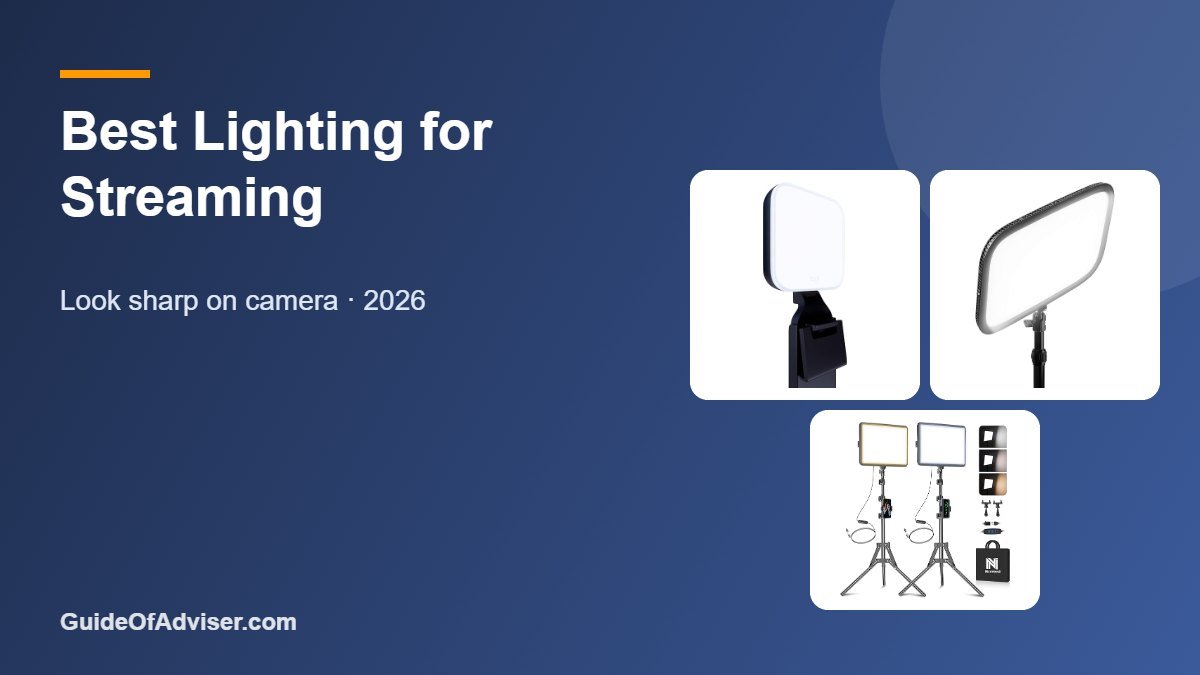
Quick answer: For most beginners, the Logitech Litra Glow is the best streaming light: it clips to your monitor and gives soft, flattering light. Serious streamers should get the Elgato Key Light. For a budget two-light setup, choose the NiceVeedi 2-Pack LED kit, and add Govee light bars for colorful background lighting.
Our Top 3 Picks for lighting for streaming
Black Friday Deals Live
Logitech for Creators Litra Glow Streaming Light
Monitor-mounted soft light
- ✓ Easy setup
- ✓ Flattering light
- ✓ 5K+ monthly sales

Elgato Key Light (2800 Lumens)
Bright app-controlled key light
- ✓ 2800 lumens
- ✓ Stream Deck support
- ✓ Clamp mount

NiceVeedi 2-Pack LED Video Light Kit
Two bi-color lights
- ✓ Key + fill
- ✓ Stands included
- ✓ 7K+ monthly sales
Streaming Lighting Basics
Key light
Your main light. Place it in front of you and slightly to one side, a little above eye level, angled down at your face.
Fill light
A softer second light on the other side that fills in shadows from the key light.
Back or background light
A light behind you or on the wall that separates you from the background and adds depth. RGB light bars are popular here.
| Setup | Lights | Best for |
|---|---|---|
| Starter | 1 monitor light | Zoom calls, new streamers |
| Standard | Key + fill | Most streamers |
| Full | Key + fill + background RGB | Polished streams and content creators |
What to Look for in a Streaming Light
- Soft light: diffused panels and softboxes are more flattering than bare LEDs.
- Adjustable color temperature: match warm room light or cool daylight (around 2700K–6500K).
- Brightness control: so you can balance with your monitor glow.
- Mounting: monitor clip, desk clamp or floor stand, depending on your space.
- High CRI: 95+ CRI shows skin tones more naturally.
Quick Comparison
| Light | Type | Best for | |
|---|---|---|---|
| Logitech for Creators Litra Glow Streaming Light | Monitor light | overall for beginners | Check price |
| Elgato Key Light (2800 Lumens) | Key light panel | pro key light | Check price |
| NiceVeedi 2-Pack LED Video Light Kit | 2-light kit | two-light kit on a budget | Check price |
| Torjim Softbox Lighting Kit (16″ x 16″) | Softbox kit | soft light for faces | Check price |
| Weilisi 10.2″ Desk Ring Light with Stand | Ring light | ring light | Check price |
| Cyezcor Monitor Clip-On Video Light | Clip-on | Cheapest clip-on light | Check price |
| Govee Smart RGBIC Light Bars | RGB bars | background RGB lighting | Check price |
1. Logitech for Creators Litra Glow Streaming Light — Best overall for beginners
The Litra Glow clips onto your monitor and gives soft, flattering, frontal light with adjustable brightness and color temperature. It plugs in by USB and is controlled by buttons or Logitech software. For new streamers, it is the easiest way to look sharp on camera.
It is designed to be easy on the eyes during long sessions, which matters if you stream for hours.
More than 5,000 bought in the past month on Amazon with a 4.5-star rating (November 2026).
Pros
- Soft, flattering light
- Monitor mount
- USB powered
- Trusted brand
Cons
- Single small light
- Not enough alone for big rooms
2. Elgato Key Light (2800 Lumens) — Best pro key light
The Elgato Key Light is a favorite among serious streamers. It is very bright, mounts on a desk clamp pole and is controlled from your phone or PC, so you can tune brightness and color without leaving your seat. It integrates with Elgato Stream Deck.
More than 500 bought in the past month on Amazon with a 4.5-star rating (November 2026).
Pros
- Very bright
- App and Stream Deck control
- Pro build
Cons
- Expensive
- Needs desk space for clamp
3. NiceVeedi 2-Pack LED Video Light Kit — Best two-light kit on a budget
A two-light kit lets you set up a key light and a fill light for more even, professional lighting. These are bi-color (warm to cool) and come with stands.
More than 7,000 bought in the past month on Amazon with a 4.4-star rating (November 2026).
Pros
- Two lights
- Bi-color
- Stands included
- Budget friendly
Cons
- Plastic build
4. Torjim Softbox Lighting Kit (16″ x 16″) — Best soft light for faces

Softboxes spread light over a large area, which softens shadows and looks great on skin. Ideal for just-chatting, beauty and cooking streams.
More than 3,000 bought in the past month on Amazon with a 4.4-star rating (November 2026).
Pros
- Very soft light
- Large coverage
- Good value
Cons
- Takes up floor space
5. Weilisi 10.2″ Desk Ring Light with Stand — Best ring light

Ring lights give an even, shadow-free face light and the classic ring catchlight in the eyes. A desk ring light is great for small setups and phone streaming.
More than 2,000 bought in the past month on Amazon with a 4.5-star rating (November 2026).
Pros
- Even face light
- Desk stand
- Affordable
Cons
- Ring reflection in glasses
6. Cyezcor Monitor Clip-On Video Light — Cheapest clip-on light
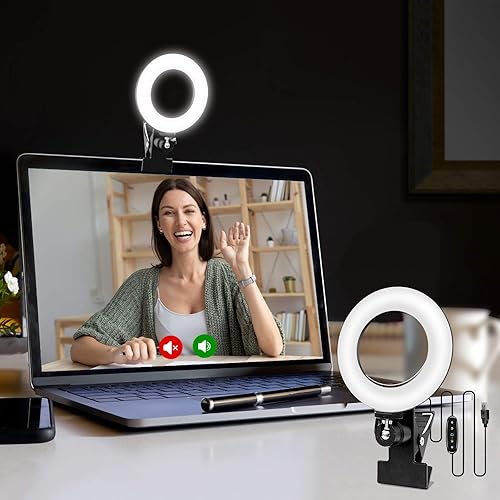
A very affordable clip-on light for webcams. Good for Zoom calls and starter streams.
More than 4,000 bought in the past month on Amazon with a 4.3-star rating (November 2026).
Pros
- Very cheap
- Clip on
- Simple
Cons
- Less bright
- Basic build
7. Govee Smart RGBIC Light Bars — Best background RGB lighting

Background lighting separates you from the wall and gives your stream personality. Govee light bars produce rich, moving colors that can sync with music or your screen.
More than 10,000 bought in the past month on Amazon with a 4.6-star rating (November 2026).
Pros
- Colorful background
- App control
- Music sync
Cons
- Not a face light
How to Set Up Your Streaming Lights
- Turn off harsh overhead lights that cast shadows under your eyes.
- Place your key light about 45 degrees to one side, slightly above eye level.
- Add a fill light on the other side at lower brightness.
- Add a background light to separate you from the wall.
- Match color temperature between lights so your skin looks natural.
- Lock camera settings (exposure and white balance) in OBS or your webcam app after lighting.
Glasses tip: If you wear glasses, raise your lights higher and angle them down, or move them further to the side to reduce reflections.
Common Lighting Mistakes
- Sitting with a bright window behind you, which turns you into a silhouette.
- Using only the monitor glow, which looks blue and uneven.
- Lights too bright, causing shiny skin and squinting.
- Mixing warm and cool lights that clash on camera.
- Placing the light directly at eye level, which flattens your face.
Lighting for Different Stream Types
Gaming streams: a monitor light or key light plus RGB background bars. Just chatting and podcasts: softboxes or a key and fill pair for flattering faces. Beauty and makeup: high-CRI ring lights or softboxes to show true colors. Teaching and work calls: a single clip-on or monitor light is often all you need.
Lighting on a Tight Budget
If money is tight, start with one good key light and use a white wall or a piece of white foam board on the opposite side to bounce light back as a natural fill. A cheap clip-on light plus a lamp with a warm bulb behind you can look surprisingly good. Upgrade to a second light and RGB bars later.
FAQs
What is the best lighting for streaming?
A soft key light in front of you, a fill light on the other side and a background light behind you.
Is a ring light good for streaming?
Yes for even face light, but it can reflect in glasses. Panels and softboxes are softer.
How many lights do I need to stream?
One good light is enough to start; two plus a background light gives a polished look.
What color temperature should I use?
Around 5000–5600K for daylight look, or match your room’s warm lighting.
Do I need RGB lights for streaming?
No, but they add style and depth to your background.
Where should I put my streaming light?
Slightly above eye level, angled down, about 45 degrees to one side.
Final Thoughts
The Logitech Litra Glow is the best place to start, the Elgato Key Light is the pro upgrade, and the NiceVeedi 2-Pack or Torjim softboxes give a full setup on a budget. Add Govee light bars behind you, and your stream will look clean and professional.
As an Amazon Associate, GuideOfAdviser earns from qualifying purchases. Prices and “bought in past month” figures were checked on Amazon in November 2026 and can change.