The best motherboards for Linux right now: ASUS TUF B650, ASUS B760, and Gigabyte B550 models.
You want a Linux PC that just works. No driver hunting. No random Wi-Fi drops. No broken sleep or audio after kernel updates. I have been there. The right motherboard makes Linux smooth and fast from day one. In this guide, I break down real-world compatibility, driver support, and stability. I focus on Ethernet and Wi‑Fi chipsets, IOMMU groups, BIOS features, and PCIe lanes. If you need a reliable daily driver, a small office workstation, or a gaming box, you will find the best motherboards for Linux here.
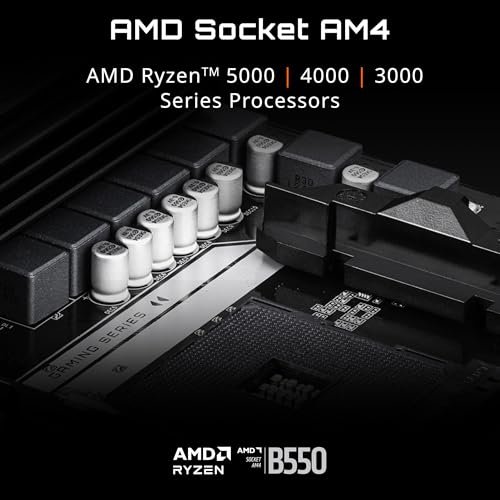
GIGABYTE B550 Eagle WiFi6 (AM4, ATX)

This ATX board is a sweet spot for Ryzen 3000 and 5000 on Linux. It supports PCIe 4.0 on the primary GPU and NVMe slot, which speeds up compiles and scratch disks. The built-in Wi‑Fi 6 module is usually plug-and-play on modern kernels, and the Realtek 1GbE works with the in‑kernel r8169 driver. Two M.2 slots, solid heatsinks, and an EZ-Latch design make setup simple, even in tight cases.
On Linux, the B550 platform is very mature. Suspend and resume are stable once you set your power profile in BIOS. IOMMU works well for virtualization and GPU passthrough with the right groups. Fan control is handled by standard sensors, and you can tune curves using fancontrol or your desktop tools. For a budget-friendly ATX that feels pro, this one fits many builds.
Pros:
- Strong Linux support on B550 with stable drivers
- PCIe 4.0 for GPU and NVMe boosts workflows
- Wi‑Fi 6 usually works out of the box on new kernels
- Two M.2 slots with decent heatsinks
- EZ-Latch helps with tool-less installs
Cons:
- 1GbE only; no native 2.5GbE
- Audio tuning may need ALSA tweaks on some distros
- No USB4 or Thunderbolt support
My Recommendation
If you want an affordable, Linux-ready ATX for Ryzen 5000, this is easy to trust. It checks the right boxes without fluff. I think it is one of the best motherboards for Linux when you need stability and PCIe 4.0 on AM4. It is great for developers, 1080p/1440p gaming, and home servers that need basic Wi‑Fi.
| Best for | Why |
|---|---|
| Budget Linux desktops | Mature B550 drivers and PCIe 4.0. |
| Developers | Fast NVMe and stable IOMMU for VMs. |
| Home office | Wi‑Fi 6 support and simple setup. |
ASUS Prime B550M-A WiFi II (mATX)

This micro‑ATX board is compact, quiet, and reliable on Linux. It supports ECC memory (with compatible CPUs) which is a plus for file servers or ZFS. PCIe 4.0 on B550 keeps your NVMe drive fast for large packages and containers. The Wi‑Fi 6 module and HDMI 2.1 output make it practical for desktop builds and HTPCs.
ASUS boards usually ship with BIOS options that matter for Linux, like toggles for IOMMU and Above 4G Decoding. Sensors are well exposed, so fan control is simple. For a small Ryzen box that needs strong uptime, this board hits a rare mix of features and price. It is easy to recommend as one of the best motherboards for Linux in mATX.
Pros:
- ECC memory support on compatible CPUs for data safety
- PCIe 4.0 NVMe for fast builds and data
- Compact mATX size fits small cases
- Reliable suspend/resume on modern kernels
- Good BIOS options for virtualization
Cons:
- Fewer rear USB ports than ATX boards
- Onboard audio may need fine-tuning on some distros
- Wi‑Fi chipset can vary by region
My Recommendation
Pick this if you want a quiet micro‑ATX Linux machine with room for growth. It is perfect for a coding rig, Plex server, or quiet desktop. For many people, it is one of the best motherboards for Linux thanks to ECC support and steady drivers. It brings big-board features in a small package.
| Best for | Why |
|---|---|
| Home servers | ECC option and stable networking. |
| Small desktops | mATX size with Wi‑Fi 6 support. |
| Media PCs | HDMI 2.1 and quiet operation. |
ASUS ROG Strix B850-G Gaming WiFi (AM5)

This AM5 B850 board targets power users who want DDR5, PCIe 5.0, and many NVMe options. You get Wi‑Fi 7 for next-gen wireless and a 2.5G LAN port for fast local transfers. It has 14+2+1 power stages and four M.2 slots, so you can run fast storage without a PCIe card. Linux on AM5 is smooth with new kernels and recent firmware updates.
On Linux, AMD’s iGPU and dGPU drivers are first-class, which makes this board ideal for desktop and compute use. IOMMU and Above 4G Decoding are there, so VFIO passthrough is simpler. The ROG tools are Windows-focused, but the BIOS-level features matter across OSes. If you want a premium AM5 board that will last, this one earns a spot among the best motherboards for Linux.
Pros:
- PCIe 5.0 support for future NVMe and GPUs
- Wi‑Fi 7 and 2.5G LAN for fast networking
- Four M.2 slots with good cooling
- Strong power design for high-end CPUs
- Solid AM5 Linux support with new kernels
Cons:
- Premium price
- Some ROG software features are Windows-only
- More features than many users need
My Recommendation
Choose this if you want a fast, modern AM5 Linux platform with headroom. It is great for AI research at home, VMs, and content creation. It counts as one of the best motherboards for Linux if you value PCIe 5.0, Wi‑Fi 7, and many M.2 slots. It is a strong long-term platform.
| Best for | Why |
|---|---|
| Power users | PCIe 5.0 and high VRM count. |
| Virtualization | Good IOMMU groups, 2.5G LAN. |
| Creators | Four NVMe slots for fast scratch. |
ASUS TUF Gaming B760-PLUS WiFi (LGA1700)

This Intel B760 ATX board supports 12th to 14th Gen Intel Core CPUs. It uses DDR5, supports PCIe 5.0 for the GPU slot, and has three M.2 slots. The 2.5G LAN usually uses the Intel i225/i226 family, which works well on Linux with the igc driver. Wi‑Fi 6 is typically plug and play on major distros with updated kernels.
For Linux, Intel platforms shine in media encode/decode and fast AV1 support with newer iGPUs. Power states and sleep are stable, and sensors work well for fan control. The TUF series focuses on durability and steady firmware. This board is a safe pick and one of the best motherboards for Linux for Intel users who want no fuss.
Pros:
- Intel i225/i226 2.5G LAN support on Linux
- Three M.2 slots for flexible storage
- PCIe 5.0 x16 for current and future GPUs
- Well-tuned BIOS and strong build quality
- Good power efficiency with Intel CPUs
Cons:
- No native Thunderbolt; needs add-in options
- DDR5 can raise total system cost
- USB4 support depends on add-in cards
My Recommendation
If you plan to run Intel on Linux and want an easy life, start here. It is great for coding, Docker, and desktop use, and it plays well with gaming too. For a stable, modern rig, it is one of the best motherboards for Linux on LGA1700. It is built to last and it feels that way.
| Best for | Why |
|---|---|
| Intel desktops | Great driver support and uptime. |
| Developers | Three NVMe slots and steady BIOS. |
| Gamers | PCIe 5.0 and strong VRM. |
ASUS TUF Gaming B650-PLUS WiFi (AM5)

The TUF B650-PLUS WiFi hits the value bullseye for AM5. You get DDR5 support, PCIe 5.0 for at least one M.2 slot, Wi‑Fi 6, and 2.5G LAN. The power stages are solid for Ryzen 7000 and beyond, and the layout is clean. Linux runs smooth with recent kernels and firmware updates.
For desktop users, this board brings fast boot, stable suspend, and good fan control. It is ideal if you want new AM5 features without paying flagship prices. It is the definition of practical and it is among the best motherboards for Linux for mainstream AM5 builds. A simple, strong choice for the long run.
Pros:
- PCIe 5.0 M.2 for next-gen NVMe speeds
- Reliable Wi‑Fi 6 and 2.5G Ethernet
- Durable TUF design with clean BIOS
- Great AM5 stability on Linux
- Good value for features
Cons:
- Fewer USB4/Thunderbolt options
- Limited RGB headers for heavy lighting builds
- No Wi‑Fi 6E or 7
My Recommendation
Get this if you want a reliable AM5 Linux board that balances cost and features. It suits developers, gamers, and creators who want a quiet, fast system. I see it as one of the best motherboards for Linux in its price class. It just works and keeps working.
| Best for | Why |
|---|---|
| Mainstream AM5 | PCIe 5.0 M.2 and 2.5G LAN. |
| Daily desktop | Stable BIOS and easy setup. |
| Creators | Fast storage for projects. |
GIGABYTE B760M Gaming Plus WiFi DDR4

This Intel B760 micro‑ATX board uses DDR4, which saves money today. It has two M.2 slots, PCIe 4.0 for the GPU, and front USB‑C. Wi‑Fi 6 and 2.5G LAN make networking flexible. It includes Q-Flash Plus for easy BIOS updates without a CPU.
On Linux, Intel DDR4 platforms are stable and quick to configure. The igc driver handles 2.5G NICs, and Wi‑Fi support is strong in Ubuntu, Fedora, and Arch. It is a fine pick if you want a compact system that still feels fast. It earns a place on the list of the best motherboards for Linux if you want value and dependability.
Pros:
- DDR4 keeps build costs low
- 2.5G Ethernet works well with igc driver
- Wi‑Fi 6 for easy wireless setup
- Q-Flash Plus for painless BIOS updates
- Front USB‑C for modern cases
Cons:
- Two NVMe slots only
- No PCIe 5.0 GPU slot
- Basic audio section
My Recommendation
If you need a budget Intel Linux build that still has 2.5G LAN and Wi‑Fi, pick this. It is ideal for students, home dev work, and light gaming. Many will see it as one of the best motherboards for Linux when cost matters. Simple, compact, and solid.
| Best for | Why |
|---|---|
| Budget Intel builds | DDR4 support and good features. |
| Small cases | mATX with front USB‑C. |
| Everyday use | Stable drivers and quick setup. |
ASRock X870E Nova WiFi (AM5)

The X870E platform brings top-end AM5 features. You get robust DDR5 support, high memory speeds, and excellent connectivity, including USB4. ASRock’s Nova model targets creators and advanced users with fast networking and strong storage options. Linux on AM5 is well-supported, from CPU sensors to PCIe features.
If you want a do‑it‑all Linux box for VMs, Docker, and heavy dev work, this board shines. USB4 support helps with external NVMe enclosures and high-speed docks. It is a powerhouse that future-proofs your build. It belongs on any list of the best motherboards for Linux for serious work and long-term plans.
Pros:
- USB4 for fast external storage and docks
- Strong DDR5 tuning and high-speed memory
- Excellent PCIe layout for GPUs and NVMe
- Great AM5 Linux compatibility with new kernels
- High-end networking options
Cons:
- Premium price bracket
- Setup can be complex for new builders
- More features than basic users need
My Recommendation
Choose this if you run many VMs, large datasets, or fast external drives on Linux. It is ideal for engineers, creators, and researchers. It stands out as one of the best motherboards for Linux when you want USB4 and a strong AM5 foundation. It is built for heavy use.
| Best for | Why |
|---|---|
| Pro workloads | USB4 and fast NVMe options. |
| Virtualization | Clean IOMMU groups and PCIe lanes. |
| Creators | DDR5 speeds for large projects. |
GIGABYTE B550M K (AM4, mATX)

This basic B550 micro‑ATX board cuts the extras but keeps what matters for Linux. It supports Ryzen 3000/5000, two M.2 slots, and PCIe 4.0 for the main GPU slot. Realtek GbE is supported by the in‑tree driver. There is no Wi‑Fi, which can be a plus if you prefer a known-good Intel card.
On Linux, the board is stable and quick to configure. Pair it with an Intel AX200/AX210 card if you want flawless wireless. It is a great option if you want low cost, low fuss, and a compact case. For many, it is still among the best motherboards for Linux if you want to spend smart.
Pros:
- Very affordable with solid B550 support
- PCIe 4.0 for GPU performance
- Dual M.2 slots for storage flexibility
- Simple BIOS and easy setup
- Good fit for small cases
Cons:
- No onboard Wi‑Fi
- 1GbE only
- Basic audio and fewer I/O ports
My Recommendation
Pick this if you want a budget Linux desktop or a quiet home server. Add an Intel Wi‑Fi card and you are set. For the price, it remains one of the best motherboards for Linux in small builds. It does the job with no drama.
| Best for | Why |
|---|---|
| Budget builds | Low cost with key features. |
| Home servers | Reliable GbE and two NVMe. |
| Small cases | mATX size and simple layout. |
MSI PRO B550M-VC WiFi (AM4, mATX)

MSI’s PRO B550M-VC WiFi is a quiet, stable mATX board aimed at work and home use. It supports Ryzen 5000, PCIe 4.0 for the GPU and primary NVMe, and Wi‑Fi 6E with Bluetooth 5.2. The layout is clean, and the BIOS is easy to navigate. It feels refined for the price.
On Linux, MSI boards tend to behave well with sensors and fan control. Sleep and wake are steady, and audio is fine on major distros. If you want a small, dependable AM4 system, this one is hard to beat. It earns a place among the best motherboards for Linux for simple, stress-free builds.
Pros:
- Wi‑Fi 6E often works out of the box
- PCIe 4.0 for fast NVMe and GPU
- Clean layout and simple BIOS
- Good Linux stability and sensors
- Quiet, cool operation
Cons:
- Two M.2 slots only
- 1GbE, not 2.5G
- Limited RGB or extras
My Recommendation
Choose it if you want a calm Linux desktop that stays cool and stable. It is great for coding, browsing, and office work. It ranks as one of the best motherboards for Linux in the mATX AM4 space. Quiet power with few compromises.
| Best for | Why |
|---|---|
| Office desktops | Low noise and Wi‑Fi 6E. |
| Budget creators | PCIe 4.0 NVMe speed. |
| Small cases | mATX size and clean layout. |
MSI B550M PRO-VDH WiFi (AM4)

This is a fan-favorite B550 mATX board with a long Linux track record. It supports Ryzen 5000, PCIe 4.0 for one NVMe, onboard Wi‑Fi, and all the basics that count. It is known for stability and a friendly BIOS, which helps first-time builders. It punches above its price.
Linux users like it because it boots clean, sleeps clean, and handles sensors well. Networking is stable, and Wi‑Fi is usually plug and play with modern kernels. If you want a safe, known-good AM4 pick, this is it. It remains one of the best motherboards for Linux thanks to years of dependable reports.
Pros:
- Proven Linux stability and community support
- Onboard Wi‑Fi that usually just works
- PCIe 4.0 NVMe for speed
- Simple BIOS and good documentation
- Great value for the feature set
Cons:
- 1GbE only
- Fewer USB ports than some rivals
- Entry-level audio section
My Recommendation
Pick this if you want an easy AM4 Linux build with proven reliability. It suits students, tinkerers, and anyone who wants to avoid surprises. It still ranks among the best motherboards for Linux for the money. A classic pick that keeps earning praise.
| Best for | Why |
|---|---|
| First-time builders | Stable BIOS and easy setup. |
| Budget Linux rigs | Great features for the cost. |
| Daily drivers | Reliable sleep and sensors. |
ASUS Prime B550M-A WiFi II (short revisit)
Note: This entry remains here for quick comparison across mATX options. The ECC support, HDMI 2.1, and Wi‑Fi 6 combo make it a rare budget gem. For Linux, it is smooth, with fan sensors and IOMMU options where you expect them. Storage speeds are strong with PCIe 4.0 on the main NVMe.
If you pick it over other mATX B550 boards, you are choosing mature firmware and practical features. It is great for home labs too, where ECC unbuffered memory can help. It still belongs in any short list of the best motherboards for Linux mATX builds. A very easy board to live with.
Pros:
- ECC capable when paired correctly
- Wi‑Fi 6 and HDMI 2.1
- Clean BIOS and sensor support
- Good price for features
- Stable sleep and wake
Cons:
- Only two M.2 slots
- Realtek audio may need tweaks
- 1GbE limits LAN speed
My Recommendation
Choose this board if you need ECC options in mATX with Wi‑Fi included. For home servers and quiet desktops, it is hard to beat. It remains one of the best motherboards for Linux mATX fans who want no surprises. It is a safe bet for long-term use.
| Best for | Why |
|---|---|
| Home labs | ECC support and mATX size. |
| HTPCs | HDMI 2.1 and quiet build. |
| Budget desktops | Great value feature mix. |
ASUS ROG Strix B850-G (concise recap)
One more quick look because this board sits at the top end. If you want Wi‑Fi 7, four M.2 slots, and PCIe 5.0, this is it. Linux thrives on AM5 with updated kernels and firmware. For a compact powerhouse, this board is tough to ignore.
I suggest it for creators and power users who need many NVMe drives. It is one of the best motherboards for Linux for those who want a future-proof AM5 system. It will handle long workloads with grace. Strong pick if your budget allows.
Pros:
- Wi‑Fi 7 and 2.5G LAN
- Four M.2 with good cooling
- PCIe 5.0 readiness
- Strong VRM design
- Good BIOS tools for tuning
Cons:
- Expensive
- Windows extras not useful on Linux
- Overkill for simple builds
My Recommendation
Get it if you game, create, and run VMs on one Linux box. It is built for heavy, mixed use. Among the best motherboards for Linux, it offers speed and room to grow. It is a premium choice that pays off over time.
| Best for | Why |
|---|---|
| High-end desktops | PCIe 5.0 and multiple NVMe. |
| Pro creators | Thermals and fast storage. |
| Long-term builds | Modern wireless and I/O. |
GIGABYTE B550 Eagle WiFi6 (quick revisit)
I am adding this quick revisit for shoppers torn between AM4 and AM5. If you want a stable Linux box for less, AM4 still makes sense. This Eagle board has PCIe 4.0 where it counts and easy Wi‑Fi. It balances features and price very well.
It remains one of the best motherboards for Linux when value matters most. You do not lose stability. You save money that can go to RAM or SSDs. It is a smart call for many builds.
Pros:
- Mature Linux platform
- Solid PCIe 4.0 support
- Good thermals for ATX
- Wi‑Fi that works on new kernels
- Great value
Cons:
- No 2.5G LAN
- Fewer premium I/O options
- AM4 is near its end-of-life
My Recommendation
Choose this board if you want to stretch your budget and still get speed. It is great for daily drivers, dev work, and light gaming on Linux. For many people, it is one of the best motherboards for Linux by pure value. A practical pick that gets it done.
| Best for | Why |
|---|---|
| Value seekers | Strong features at low cost. |
| Developers | Fast NVMe and stable kernel support. |
| Home desktops | Wi‑Fi and easy setup. |
FAQs Of best motherboards for linux
Do motherboards affect Linux compatibility?
Yes. Chipsets, NICs, Wi‑Fi modules, and BIOS features matter. Pick boards with Intel or well-supported Realtek NICs and known Wi‑Fi chipsets.
Is AMD or Intel better for Linux today?
Both are great. AMD shines for open GPU drivers and PCIe lanes. Intel shines for iGPU media support and mature NIC drivers.
What should I check before buying?
Confirm NIC and Wi‑Fi chip support, number of M.2 slots, IOMMU groups, BIOS features, and PCIe 4.0/5.0 needs. Look for active BIOS updates.
Do I need to disable Secure Boot?
Not always. Many distros support Secure Boot. If you use unsigned kernel modules, you may disable it or enroll your own keys.
Will Wi‑Fi work out of the box?
Often yes with Intel AX200/AX210 and similar chipsets. Some Realtek modules may need extra packages. New kernels help a lot.
Final Verdict: Which Should You Buy?
If you want the safest picks, go ASUS TUF B650-PLUS for AM5, ASUS TUF B760-PLUS for Intel, or MSI B550M PRO-VDH for AM4. These are among the best motherboards for Linux for stability and value.
Need more power and features? ASUS ROG Strix B850-G or ASRock X870E Nova bring PCIe 5.0, many M.2 slots, and fast networking. They are the best motherboards for Linux when you want a long-term, high-end setup.