
CAD software has different graphics needs than games. 2D drafting in AutoCAD is light, while large 3D assemblies in SolidWorks, Inventor, Revit, Fusion or CATIA can push a GPU and its memory. Some engineering apps also certify specific professional GPUs, which matters if you need official support from the software vendor.
This guide explains the difference between professional (workstation) GPUs and consumer GeForce or Radeon cards for CAD, then recommends the best options based on current Amazon availability and sales. Many competing pages mix up gaming and CAD advice; we focus on what CAD users actually need.
Quick answer: Best pro card: PNY NVIDIA RTX 2000 Ada 16GB for certified CAD workflows. Best overall value for most CAD users: ASUS RTX 5060 Ti 16GB (500+ bought last month). Best budget: GIGABYTE RTX 3060 12GB. Best for big assemblies and rendering: ASUS RTX 5070 12GB. For 2D AutoCAD only, almost any modern GPU works.
Our Top 3 Picks for best gpu for cad
🔥 Black Friday Deals Live
PNY NVIDIA RTX 2000 Ada Generation 16GB
Workstation GPU with 16GB.
- ✓ Certified pro drivers
- ✓ 16GB memory
- ✓ Low power, compact
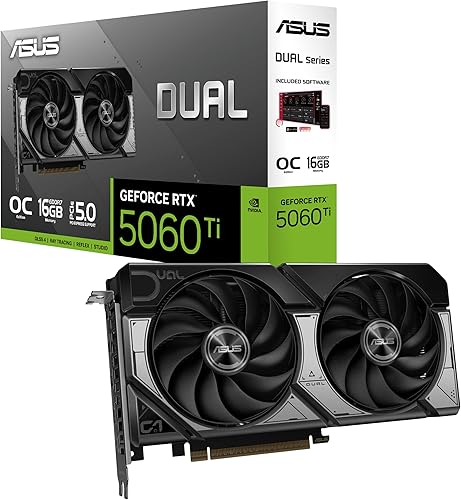
ASUS Dual GeForce RTX 5060 Ti 16GB OC
16GB VRAM, 500+ bought last month.
- ✓ 16GB VRAM
- ✓ Great price for performance
- ✓ Efficient

GIGABYTE GeForce RTX 3060 Gaming OC 12G
12GB VRAM, 5,800+ reviews.
- ✓ 12GB VRAM
- ✓ Huge review count
- ✓ Affordable
As an Amazon Associate, we earn from qualifying purchases. Prices and deals change often, so check Amazon for the latest price.
How we picked these products
- Checked Amazon US in November 2026 and kept only products with strong “bought in past month” sales.
- Compared ratings and review counts, and dropped listings with too little feedback.
- Matched every product to the exact need in this guide, not just the category.
- Read the top-ranking guides for this topic and added the details they miss or get wrong.
We do not hands-on test every product. Our picks are based on specs, sales, verified buyer feedback and manufacturer information. Last updated: November 2026.
GPUs for CAD Compared
| Product | Best for | Type / VRAM | Price |
|---|---|---|---|
| PNY NVIDIA RTX 2000 Ada Generation 16GB | Best professional card | Workstation GPU, 16GB | Check price |
| ASUS Dual GeForce RTX 5060 Ti 16GB OC | Best value for most CAD users | 16GB GDDR7 | Check price |
| GIGABYTE GeForce RTX 3060 Gaming OC 12G | Best budget | 12GB GDDR6 | Check price |
| ASUS PRIME GeForce RTX 5070 12GB OC | Best for big assemblies and rendering | 12GB GDDR7 | Check price |
1. PNY NVIDIA RTX 2000 Ada Generation 16GB — Best professional card
Professional RTX Ada cards use certified drivers that CAD vendors test, plus ECC-capable memory and a compact, low-power design. Choose a pro card if your company or software vendor requires certified hardware for support.
It is a niche product on Amazon with 11 reviews, a 4.8-star rating and 50+ purchases last month.
Pros
- Certified pro drivers
- 16GB memory
- Low power, compact
Cons
- Expensive for its gaming speed
- Low Amazon sales
2. ASUS Dual GeForce RTX 5060 Ti 16GB OC — Best value for most CAD users
For AutoCAD, Fusion, and many 3D modeling tasks, a modern GeForce card with plenty of VRAM performs very well. The 16GB RTX 5060 Ti handles large models and GPU rendering at a reasonable price.
It has 450+ reviews, a 4.6-star rating and 500+ purchases last month.
Pros
- 16GB VRAM
- Great price for performance
- Efficient
Cons
- Not ISV-certified for all apps
- Gaming drivers by default
3. GIGABYTE GeForce RTX 3060 Gaming OC 12G — Best budget
The RTX 3060 12GB is a long-running favorite for budget CAD workstations because of its 12GB VRAM, which matters more than raw speed for big models.
It has 5,800+ reviews, a 4.7-star rating and 100+ purchases last month.
Pros
- 12GB VRAM
- Huge review count
- Affordable
Cons
- Older generation
- Larger card
4. ASUS PRIME GeForce RTX 5070 12GB OC — Best for big assemblies and rendering
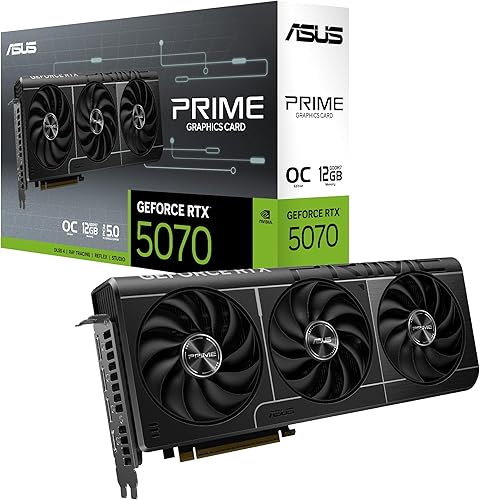
If you rotate large assemblies all day or use GPU renderers, the RTX 5070 adds more speed for smoother viewports and faster renders.
It has 340+ reviews, a 4.8-star rating and 200+ purchases last month.
Pros
- Fast viewport and rendering
- Highly rated
- Good cooling
Cons
- 12GB VRAM
- Higher power use
How to Choose a GPU for CAD
Check your software’s certified hardware list, then choose based on model size and budget.
Pro GPU vs GeForce
Professional cards (NVIDIA RTX Ada workstation series) are tested and certified by many CAD vendors, which helps with stability and official support. GeForce and Radeon cards are cheaper per unit of performance and work well in many CAD apps, but may not be certified.
Check certified hardware lists
SolidWorks, Siemens NX, CATIA and other vendors publish certified GPU lists. If your workplace needs vendor support, pick a card from that list.
2D vs 3D needs
2D AutoCAD drafting is light and runs on almost any modern GPU. 3D modeling, large assemblies and real-time visualization benefit from more VRAM and a faster GPU.
VRAM for large models
8GB is the minimum for 3D work; 12GB to 16GB is better for large assemblies, multiple monitors and GPU rendering.
CPU still matters
Many CAD tasks, especially rebuilds and calculations, depend on single-thread CPU speed. Balance your budget between CPU and GPU.
Drivers
NVIDIA Studio drivers are a good choice for GeForce cards used for creative and CAD work.
CAD Software vs GPU Needs
| Software / task | GPU demand | Suggested tier |
|---|---|---|
| AutoCAD 2D | Low | Any modern GPU |
| AutoCAD 3D / Fusion | Medium | RTX 3060 12GB or RTX 5060 Ti 16GB |
| SolidWorks / Inventor large assemblies | Medium to high | RTX 5060 Ti 16GB, RTX 5070, or certified pro card |
| Revit with visualization | Medium to high | RTX 5070 or better |
| Certified enterprise workflows | Requires certification | RTX 2000 Ada or higher pro cards |
Workstation Build Tips
- Choose a CPU with strong single-thread performance for rebuilds.
- Use 32GB of RAM minimum; 64GB for large assemblies.
- Store projects on an NVMe SSD.
- Use dual monitors for model and property panels.
Related guides
Frequently Asked Questions
Do I need a Quadro or RTX Ada card for CAD?
Only if your software or employer requires certified hardware; many users do well with GeForce.
Is RTX 5060 Ti good for SolidWorks?
It performs well, but it may not be on the certified list; check SolidWorks’ hardware page.
What GPU is best for AutoCAD?
For 2D, almost any modern GPU; for 3D, a 12-16GB GeForce like the RTX 5060 Ti 16GB is great value.
How much VRAM do I need for CAD?
8GB minimum for 3D; 12-16GB for large models.
Is AMD good for CAD?
Radeon and Radeon Pro cards can work well; check your software’s support list.
Should I use Studio drivers?
Yes, NVIDIA Studio drivers are tuned for creative apps.
Final Verdict
For most CAD users, the ASUS RTX 5060 Ti 16GB is the best GPU for CAD thanks to its VRAM and value. Choose the PNY RTX 2000 Ada if you need certified professional drivers, the RTX 3060 12GB on a budget, and the RTX 5070 for large assemblies and rendering.
As an Amazon Associate, Guide Of Adviser earns from qualifying purchases. Product details and prices can change, so please check Amazon before you buy.